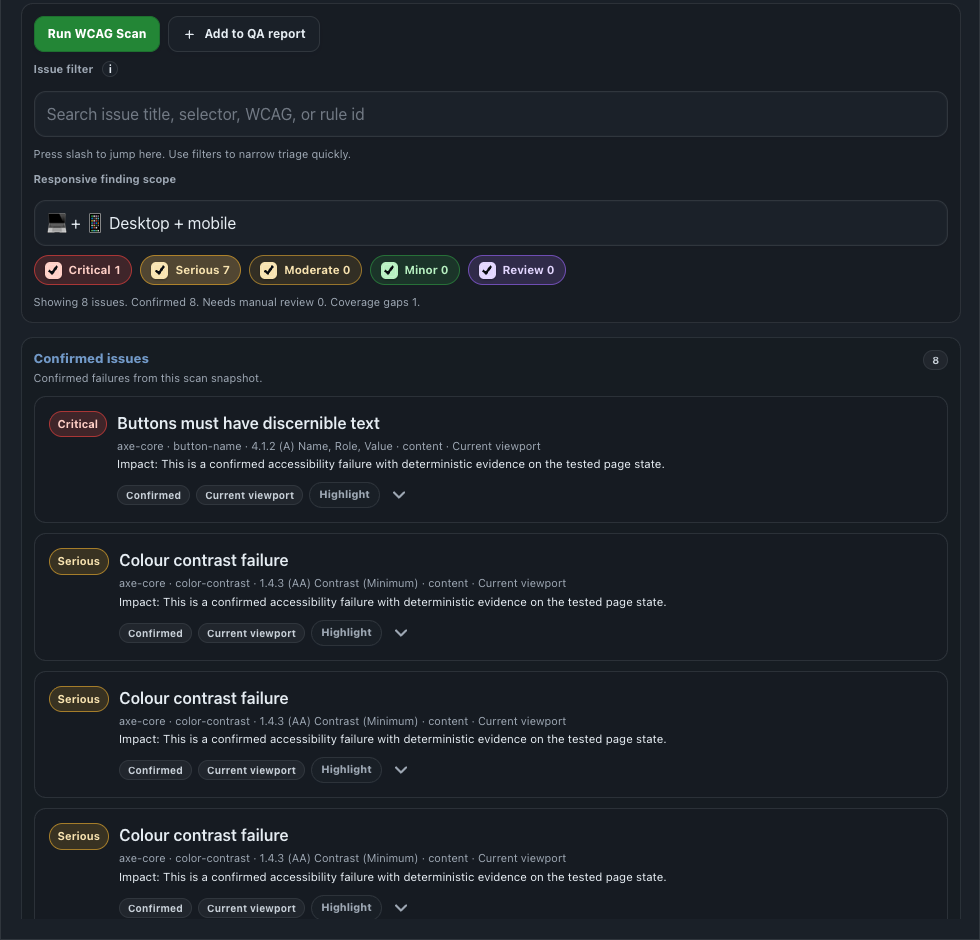
Scan Results
Runs current-page checks, groups confirmed issues separately from review items, exposes filters, issue details, highlight actions, and export controls.
View screenshot A11Y Cat Extension
Internal Chrome documentation
A local-first Chrome extension approved for internal Chrome use. It runs packaged checks after a toolbar action, separates confirmed issues from review evidence, and exports handoff-ready QA reports.
Approved for internal Chrome use. Do not publish or externally share the internal install link. Automated and guided output supports human review; it does not certify WCAG conformance or replace manual accessibility testing.
Current documented package version: 2.0.0. Internal release verification passed on Sunday, July 19, 2026, and this public documentation was refreshed on Monday, July 20, 2026.
The video below shows current extension-panel surfaces only. It is a documentation aid, not a claim about any specific website.
The injected panel exposes the active review sections below. Open Workspace launches the linked local dashboard page for comparison, issue log, exports, and diagnostics instead of adding another first-row panel section.
Runs current-page checks, groups confirmed issues separately from review items, exposes filters, issue details, highlight actions, and export controls.
View screenshotHolds structured human-review work that the automated scan cannot safely close on its own.
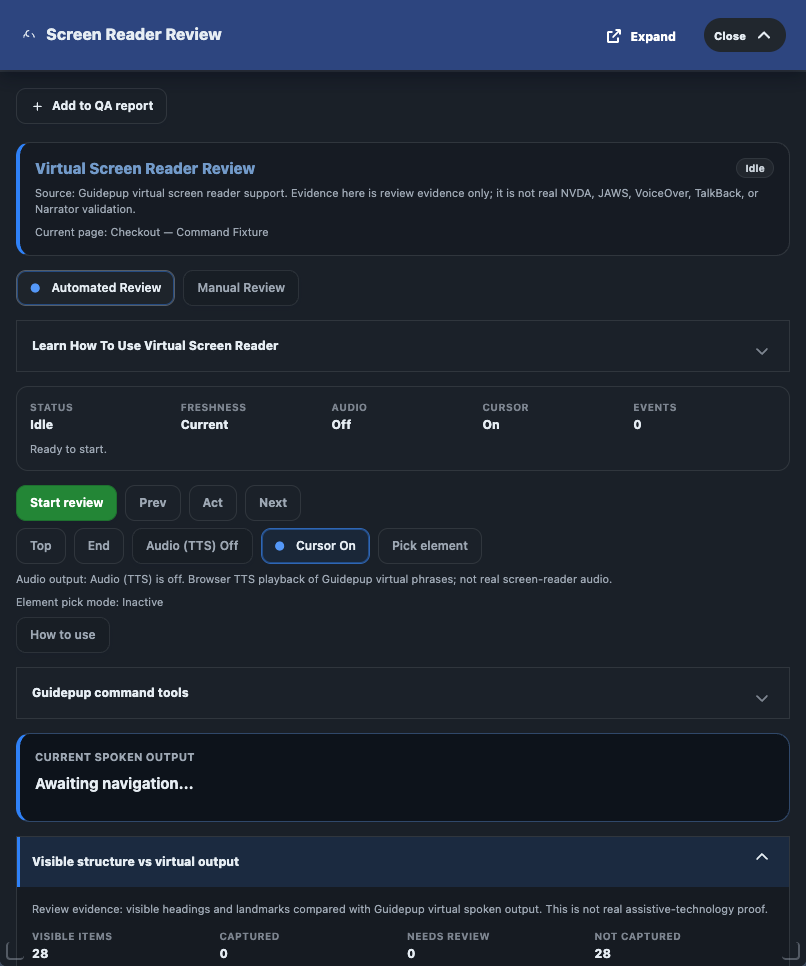
View screenshotUses bundled Guidepup virtual screen-reader support and browser TTS where available. The automated release gate treats it as a bounded evidence workflow, not as real AT validation.
View screenshotBuilds a bounded focusable inventory, captures focus order for the current page state, supports focus badges, and exports focus evidence.
Read guideRuns debugger-backed tab traversal, safe widget audits, workflow traces, saved-run history, and previous-run comparison for bounded keyboard evidence.
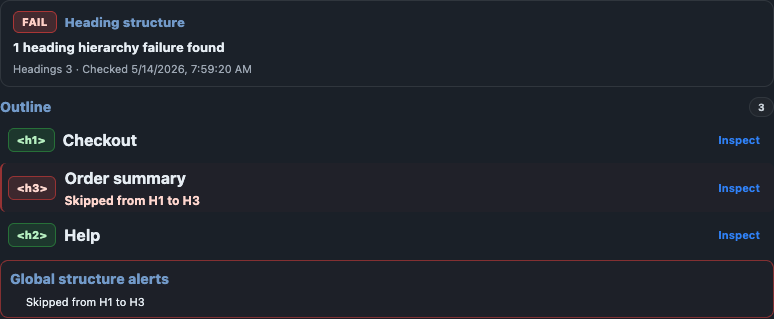
Read guideChecks semantic headings, visible H1 structure, skipped levels, ARIA headings, hidden headings, and visual heading-like text without markup.
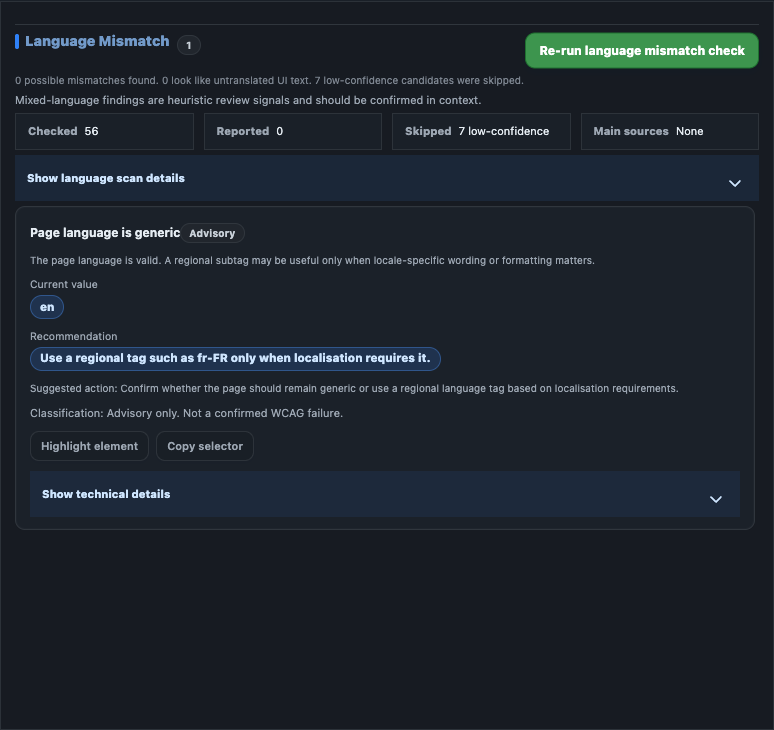
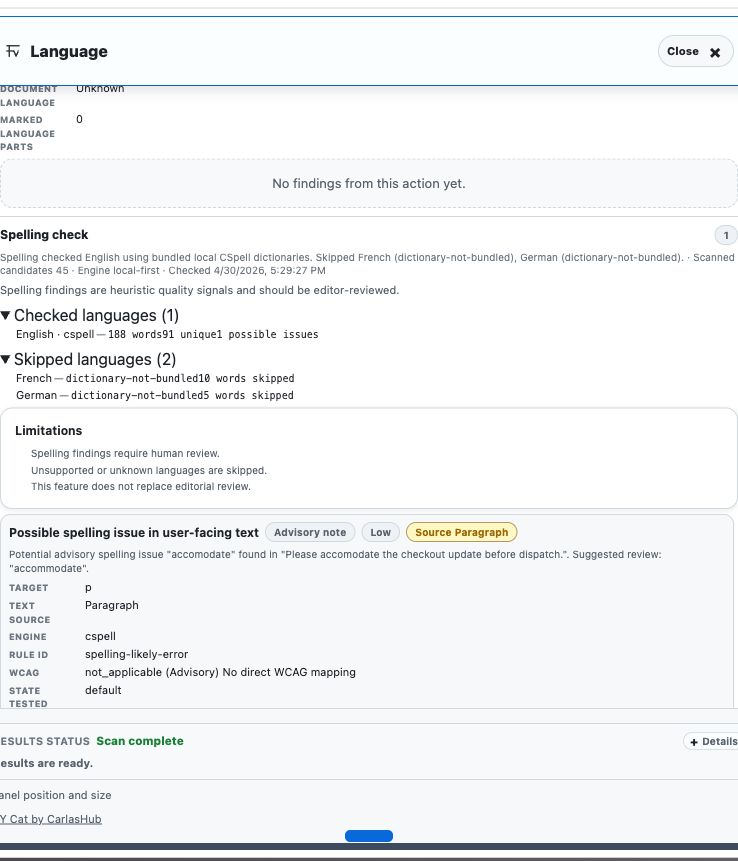
View screenshotCombines language mismatch review with local spelling guidance so reviewers can assess text clarity without a remote API.
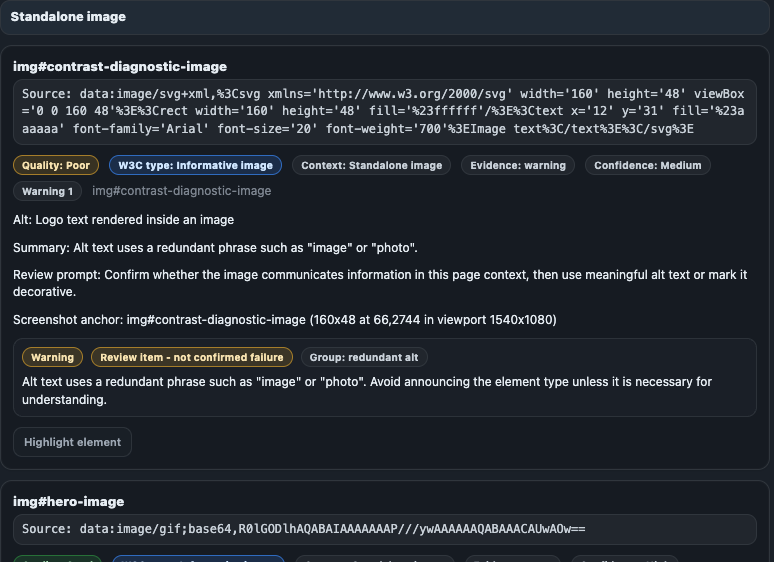
View language screenshotView spelling screenshotSeparates deterministic image failures from context-dependent review for decorative, linked, SVG/icon, complex, redundant, and background-image cases.
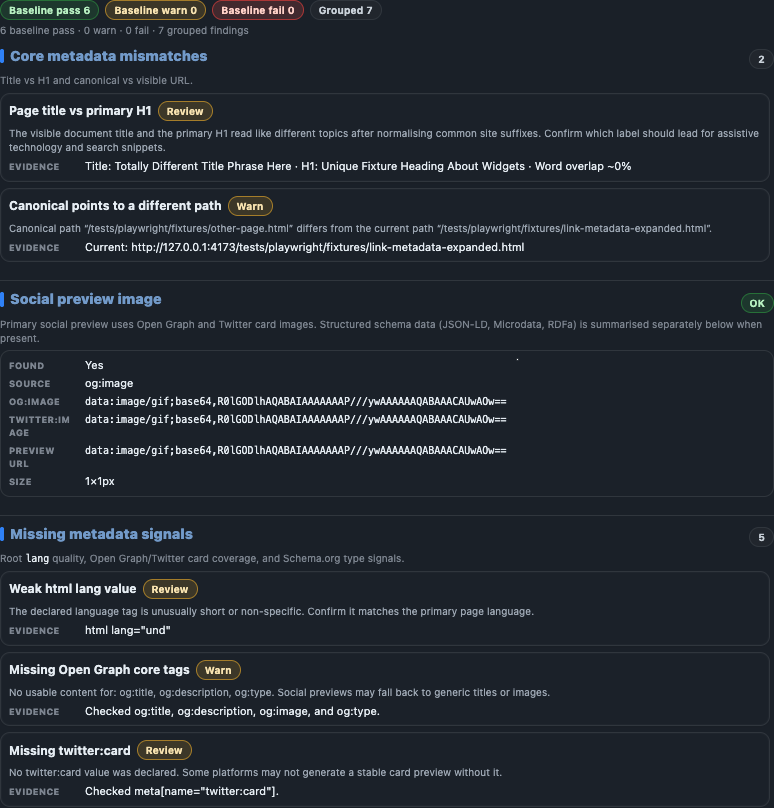
View screenshotReviews title, description, canonical URL, Open Graph, Twitter card, schema, and title/H1 alignment as review evidence where appropriate.
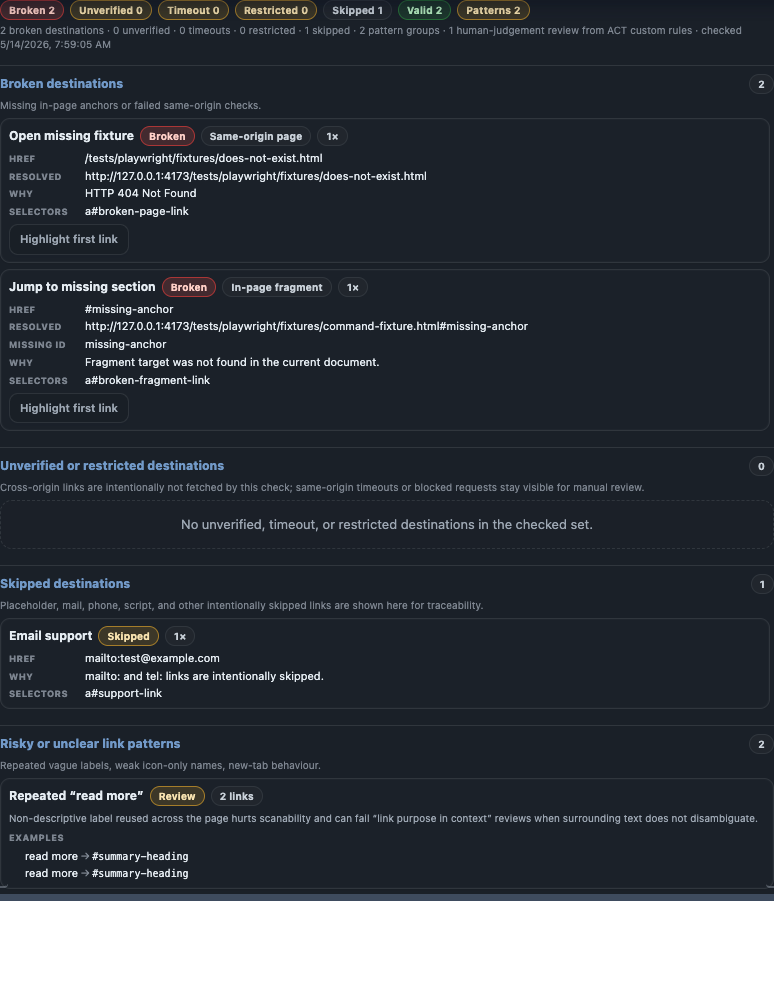
View screenshotProvides supported same-origin link-status evidence while labelling blocked, authenticated, cross-origin, or incomplete checks as limitations.
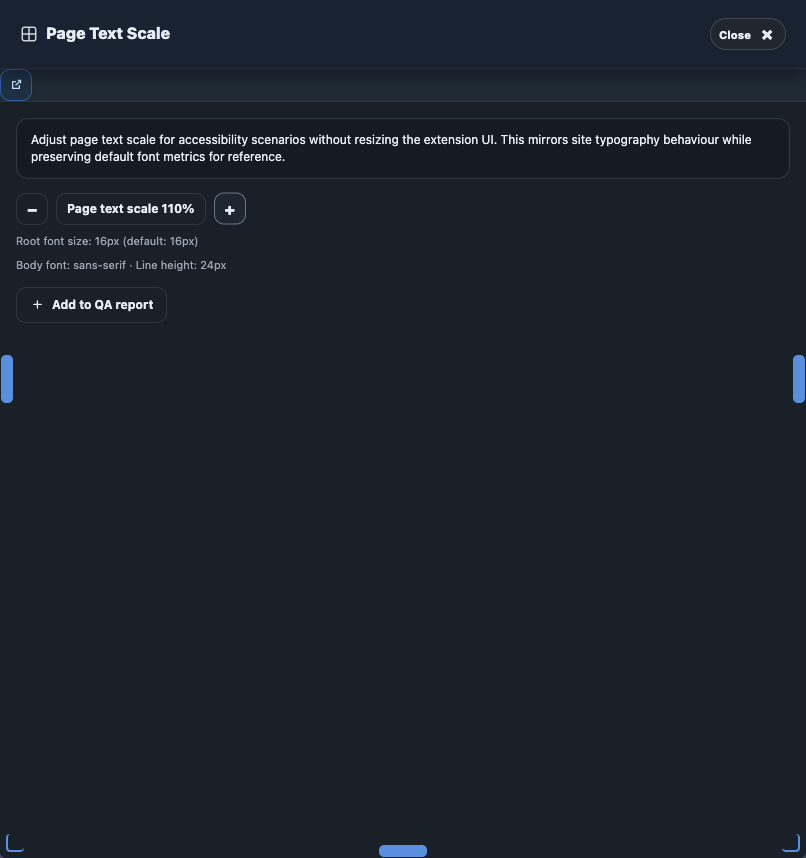
View screenshotOwns utility evidence, tester observations, release evidence gates, and local exports for reduced-motion, contrast-mode, text-spacing, and related preference review.
View controls screenshotControls the page-side helper, badges, outlines, review summaries, and reset flow for visual overlay and heuristic review modes.
Read guideOpens the linked local workspace for overview, issue log, previous-scan comparison, report building, diagnostics, and support-ready exports. The action now waits for the latest scan-backed snapshot so the workspace opens populated instead of falling back to an empty pre-scan view.
Read history guideRead exports guide| Item | Current value |
|---|---|
| Documented package version | 2.0.0 |
| Latest release verification | Sunday, July 19, 2026 |
| Public docs refresh | Monday, July 20, 2026 |
| Verified release gate scope | Package validation, Guidepup virtual screen-reader gate, full extension regression suite, and smoke suite passed for the documented package. |
Manifest V3 package with a background service worker, packaged content runtime, local vendor dependencies, toolbar action, and keyboard command.
The extension uses activeTab and scripting after user action. It does not declare broad host permissions in the release manifest.
Runtime checks execute in the browser against the active rendered page. The packaged build includes local axe-core and virtual screen-reader browser support.
Bounded focus capture and interaction audits use local runtime modules plus debugger-backed trusted key dispatch where supported, while keeping DOM or scripted fallback evidence explicitly labelled.
Page-side helper controls use a dedicated extension-owned root so badges, outlines, review summaries, and reset behaviour do not contaminate the inspected page evidence set.
chrome.storage.local stores settings, scan history, archive state, workflow notes, performance history, workspace snapshots, and virtual review state on the browser profile.
Confirmed, review, advisory, limitation, and diagnostic outputs stay separate. Virtual screen-reader output is never presented as proof from NVDA, JAWS, VoiceOver, TalkBack, or Narrator.
| Classification | Meaning | Primary action |
|---|---|---|
| Confirmed issue | High-confidence issue evidence for the current rendered state, usually from axe-core or strict A11Y Cat checks that pass reliability gates. | Remediate, retest, and confirm user impact in context. |
| Needs review | Evidence that needs human judgement, visual inspection, interaction, or assistive technology testing before it becomes a defect. | Inspect manually and record the decision before reporting it as a failure. |
| Advisory | Helpful quality, metadata, language, spelling, or review-readiness signal. | Use as guidance. Do not count it as a definite WCAG failure. |
| Limitation | A known boundary of what the extension could not inspect, calculate, or prove. | Use another method for the uncovered state and avoid coverage overclaims. |
| Diagnostic | Technical support information about permissions, injection, storage, runtime, exports, or scan coverage. | Use for troubleshooting and traceability. Do not treat it as a page failure. |
A11Y Cat Extension is approved for internal Chrome use. It supports accessibility review and remediation workflows; it does not certify production readiness, prove WCAG conformance, detect every issue, or replace manual accessibility and assistive technology testing.